
The answer, before they finish asking
During a showing, Buddi listens for your client’s questions and puts the answer on your screen, with where it came from: the MLS listing, or a place nearby on Google Maps. When the answer isn’t in the data, Buddi says so and saves the question for your follow-up.
An add-on to Showing Mode for your team.
Your phone stays in your pocket. The answer finds you
- 01
Start Showing Mode
A short recording notice plays out loud and everyone says “Yes”. The notice and the Yes are part of the recording.
- 02
Buddi reads up on the house
As the showing starts, Buddi loads the MLS listing and the places nearby, so most answers are ready before anyone asks.
- 03
A question, an answer
When Buddi hears a question, your phone gives a soft buzz. The answer lands on your screen with its source, and a second buzz tells you it’s there.
- 04
Nothing gets lost
What Buddi can’t answer is saved to your follow-ups and shows up in the showing summary.
Three tabs, one glance each
Showing Mode opens full screen. Swipe between what Buddi knows, what it has answered, and what was said.
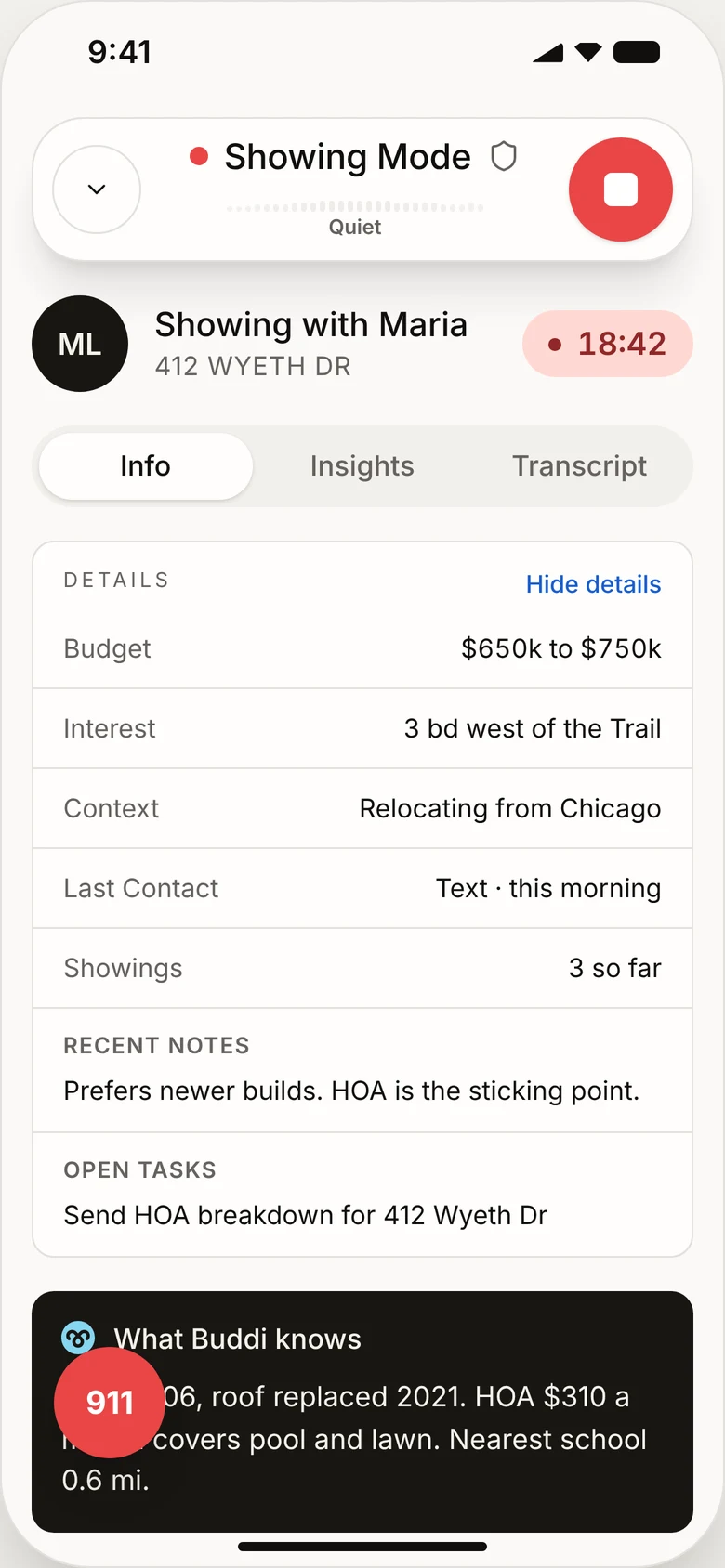 Info
InfoWhat Buddi knows
Your client’s budget, notes and open tasks, plus the facts Buddi already has about this house, before anyone asks.
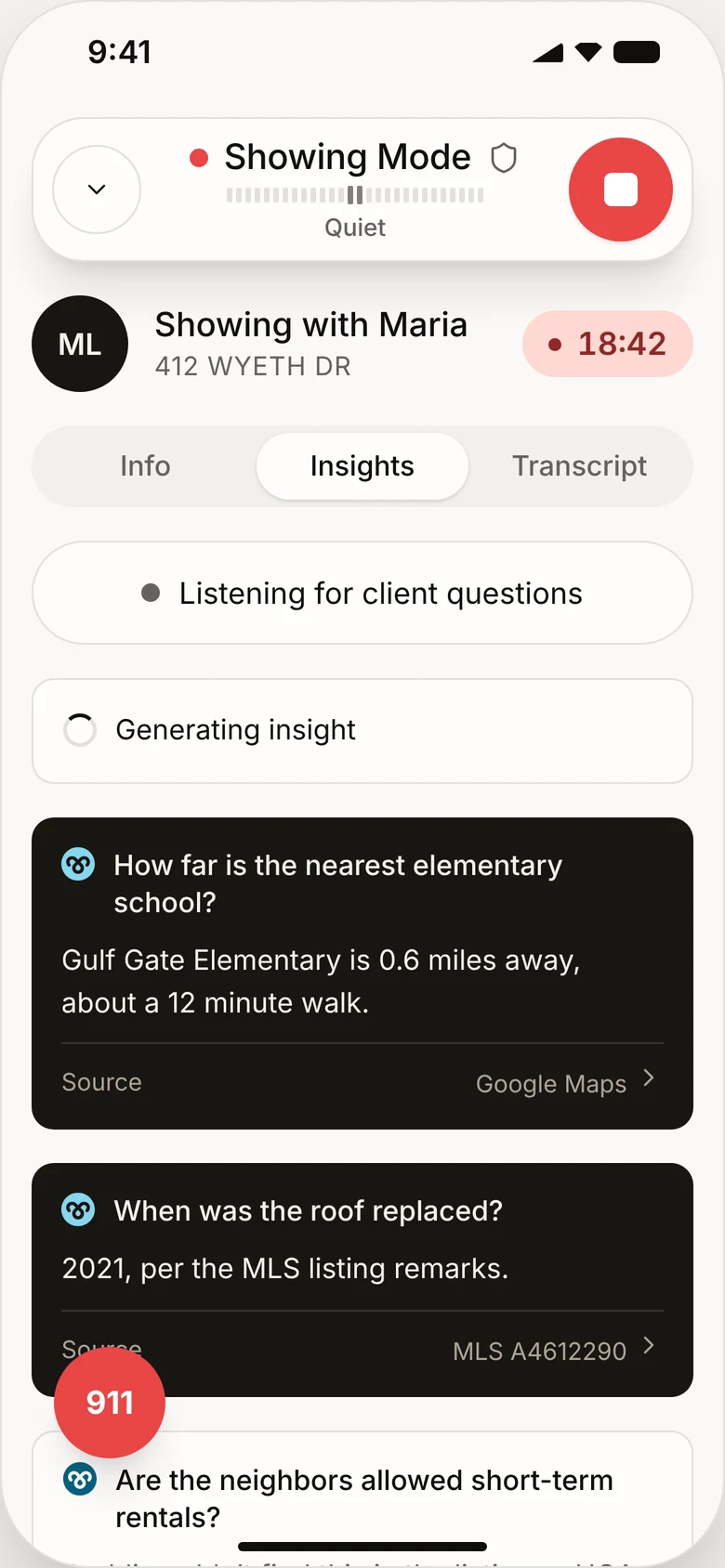 Insights
Answers as they come
Newest on top. Each card names the question, gives the answer and shows its source. Tap a nearby place to open it on the map.
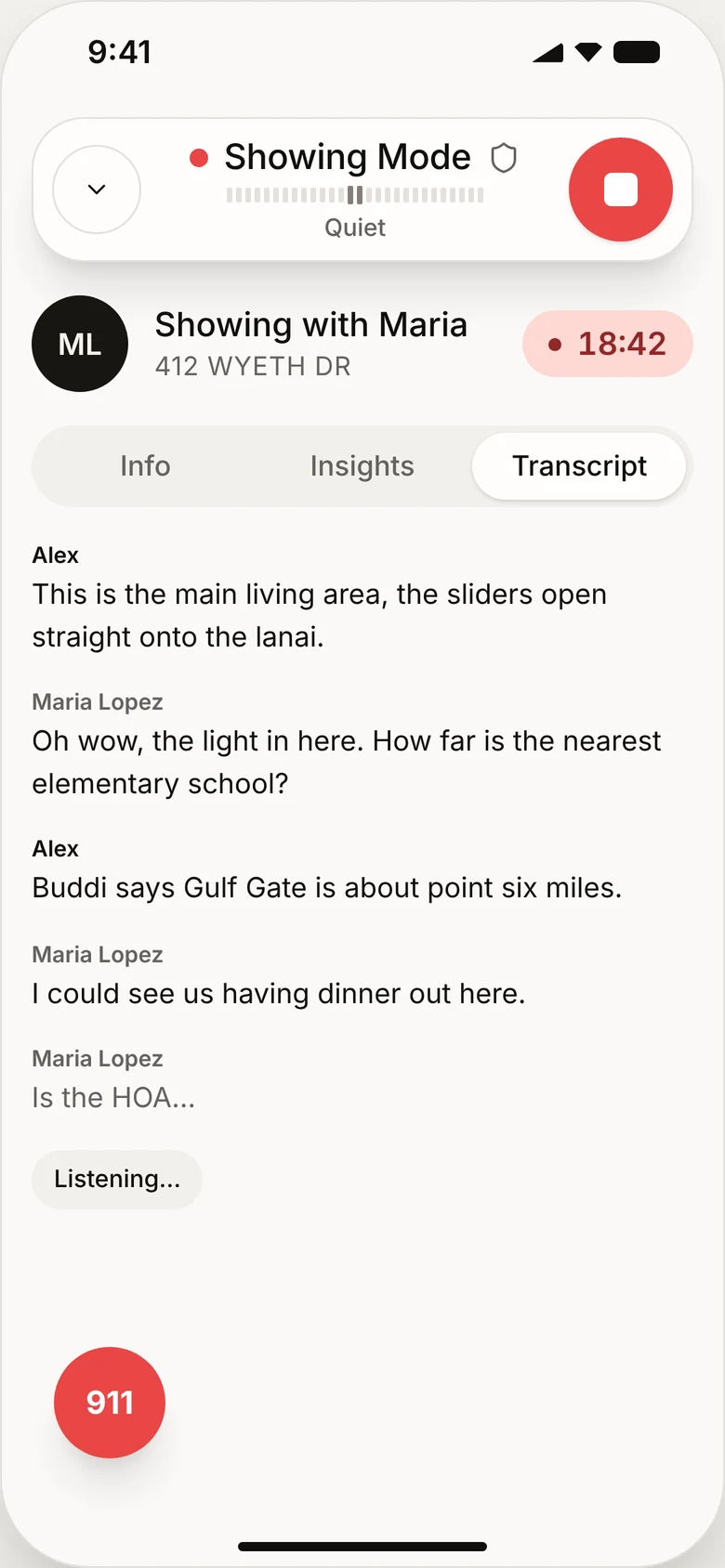 Transcript
Every word, as it’s said
The conversation so far, so you can check what your client actually asked.
If it isn’t in the data, Buddi won’t make it up
Buddi only answers from a field it can point to. You can always see where an answer came from, and when Buddi can’t answer, it tells you why.
“When was the roof replaced?”
2021, per the MLS listing remarks.
“How far is the nearest elementary school?”
Gulf Gate Elementary is 0.6 miles away, about a 12 minute walk.
“Are short-term rentals allowed?”
Not included in the MLS data Buddi has for this property. Added to your follow-ups.
“Would an FHA loan work for this one?”
One for a lender or another licensed professional. Buddi doesn’t give financial or legal advice. Added to your follow-ups.
Asked twice in other words? Buddi recognizes the same question and doesn’t stack a second card. Sample questions and answers · 412 Wyeth Dr is an example listing.
Every question, answered or waiting for you
The same cards move into the showing summary: what was answered during the showing, and what’s still open for you to follow up. They sit next to the summary, the buyer score and the next steps.
Explore Showing Summary →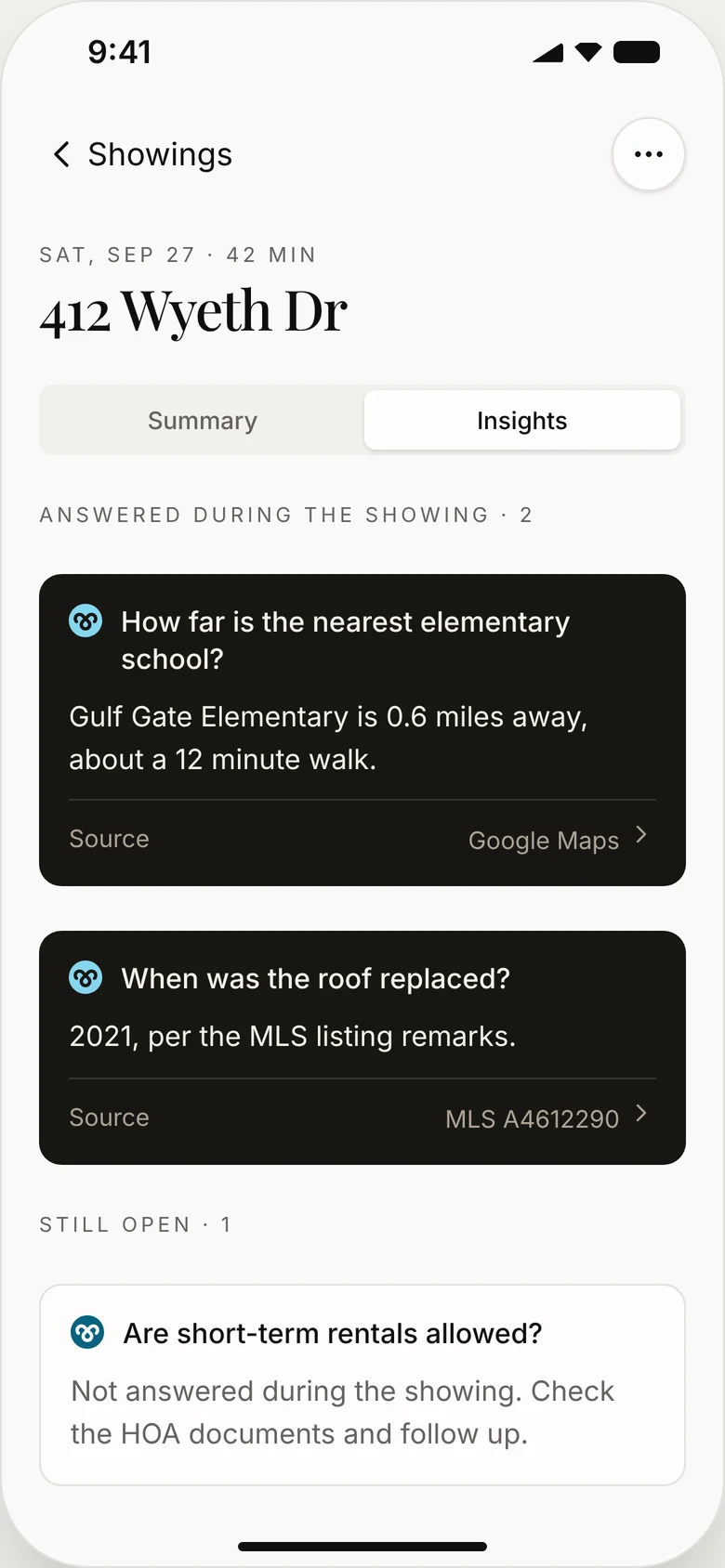
Built to be trusted in someone else’s home
- Only in Showing Mode
- Buddi listens only after you start a showing and everyone has said Yes.
- Silent on your side
- Answers appear on your screen with a gentle vibration. Nothing is said out loud or sent to your client.
- Door codes stay private
- Lockbox and access codes said out loud are removed from transcripts.
- The recording comes first
- If the connection drops, live answers pause and the questions still land in your summary. Your recording isn’t affected.
- Safety stays on
- Safety Mode keeps running alongside Live Insights for the whole showing.
Before your next showing
Where do the answers come from?
From the MLS listing for the property, and from Google Maps for places nearby like schools, parks and groceries. Every answer names its source.
What if the property isn’t on the MLS?
Buddi tells you there’s no listing linked to the showing, and saves your client’s questions to your follow-ups.
Does my client hear anything?
Only the recording notice at the start. Answers appear silently on your screen.
How do I get it?
Live Insights is a team add-on. Your admin turns it on in the Agent Portal.

See it on your own listings
Bring Buddi to your next showing.
One-month money-back guarantee