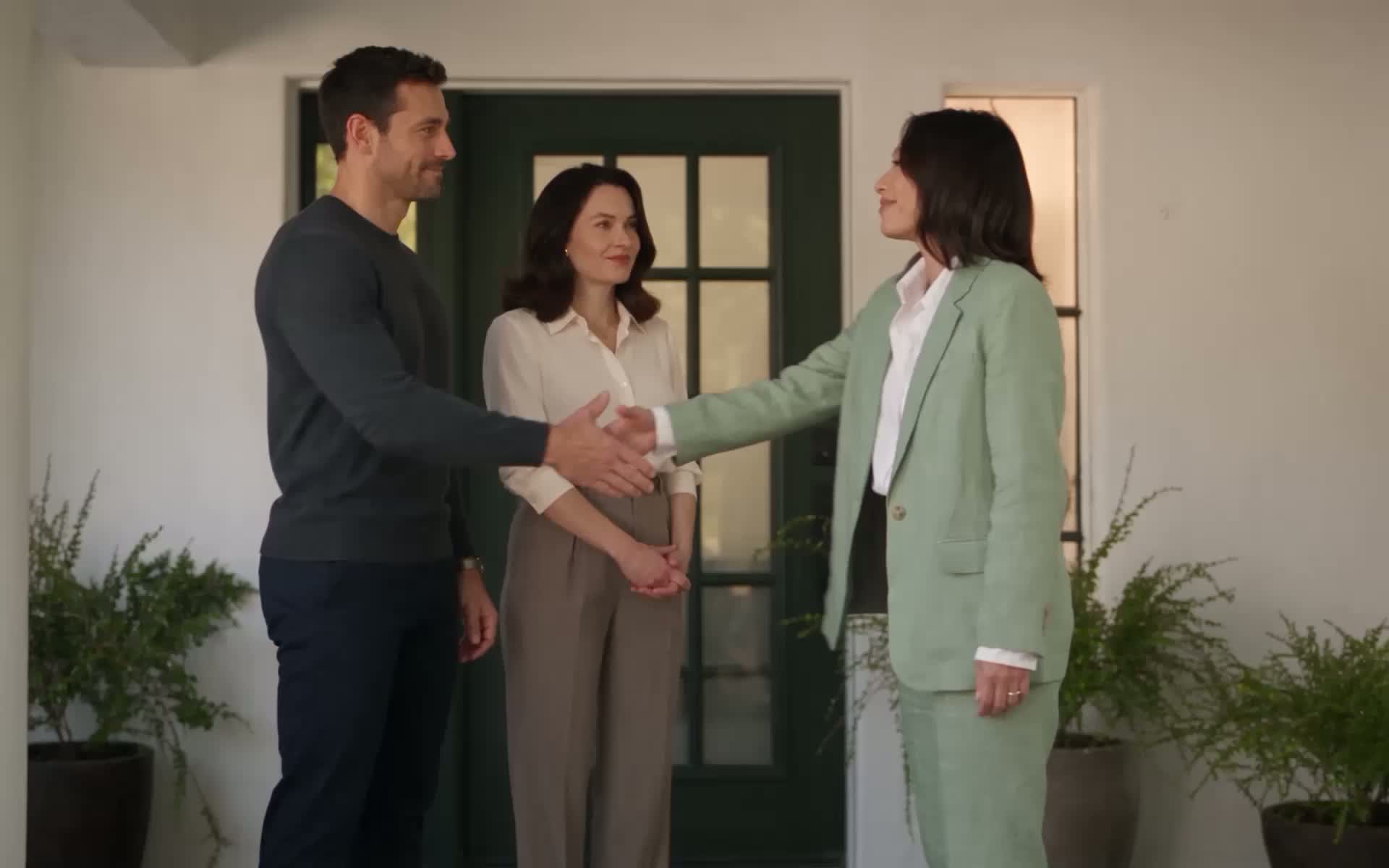
Walk out of the showing with the next step already done
Buddi listens with everyone’s consent, then writes the showing up before you reach the car: what they loved, what worried them in their own words, how ready they are, and what to do next. Confirm, and it’s in your CRM.
Buddi writes it up
Buddi writes it up. Summary ready. Scores, quotes and next stepsOne showing, start to finish
- 1
Recording notice
Played out loud as Showing Mode starts. Everyone says yes.
- 2
You show the house
Phone in your pocket. Live Insights answers questions as they come.
- 3
Summary in minutes
A notification before you reach the car, even if you closed the app.
- 4
You confirm
Keep, edit or delete the follow-ups Buddi proposes.
- 5
Everything moves
Tasks and a wrap-up note in your CRM, her wants in her profile, the follow-up email drafted.
- Tasks + wrap-up note in your CRM
- Her profile updated
- Follow-up email drafted
Most showing notes are typed in the car, from memory. Or never
What you remember, when you get to it
- Typed later, from memory
- Your paraphrase, not what the buyer said
- “Hot” or “warm” is a gut feeling, and so is “she liked it”
- The follow-up waits until tonight, and the CRM until never
What was said, ready before you drive off
- Written within minutes of the showing
- Key quotes in the buyer’s own words
- A score for how ready the buyer is, and soon a second one for how well this house fit them
- Follow-ups proposed with due dates. One tap and they’re in your CRM
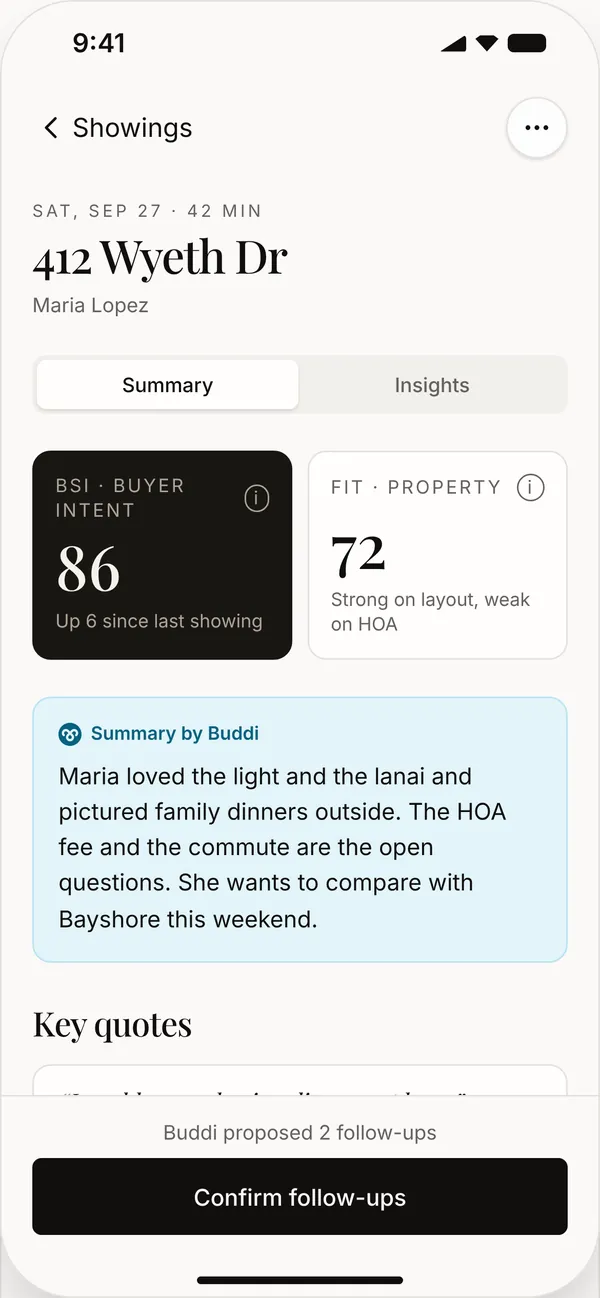
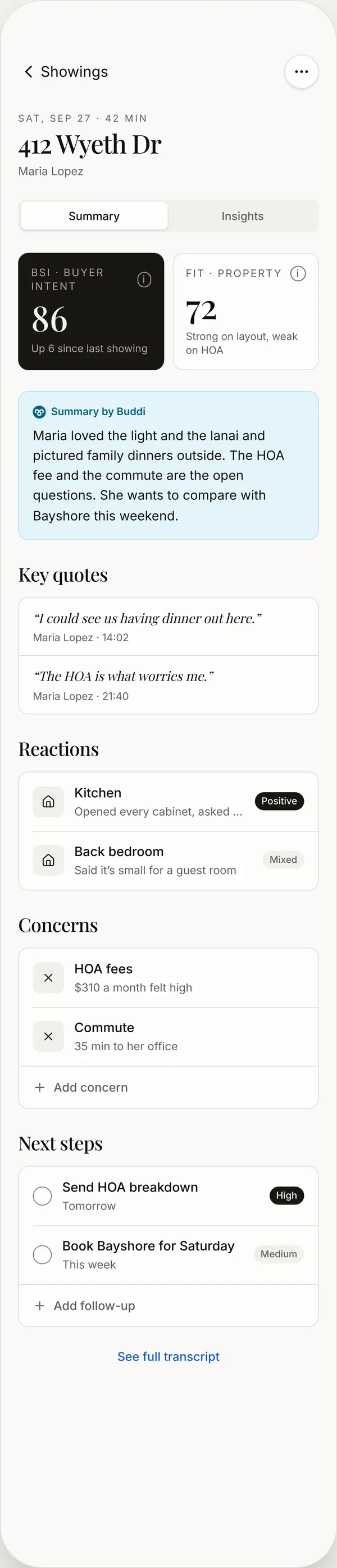
Everything that was said, sorted for you
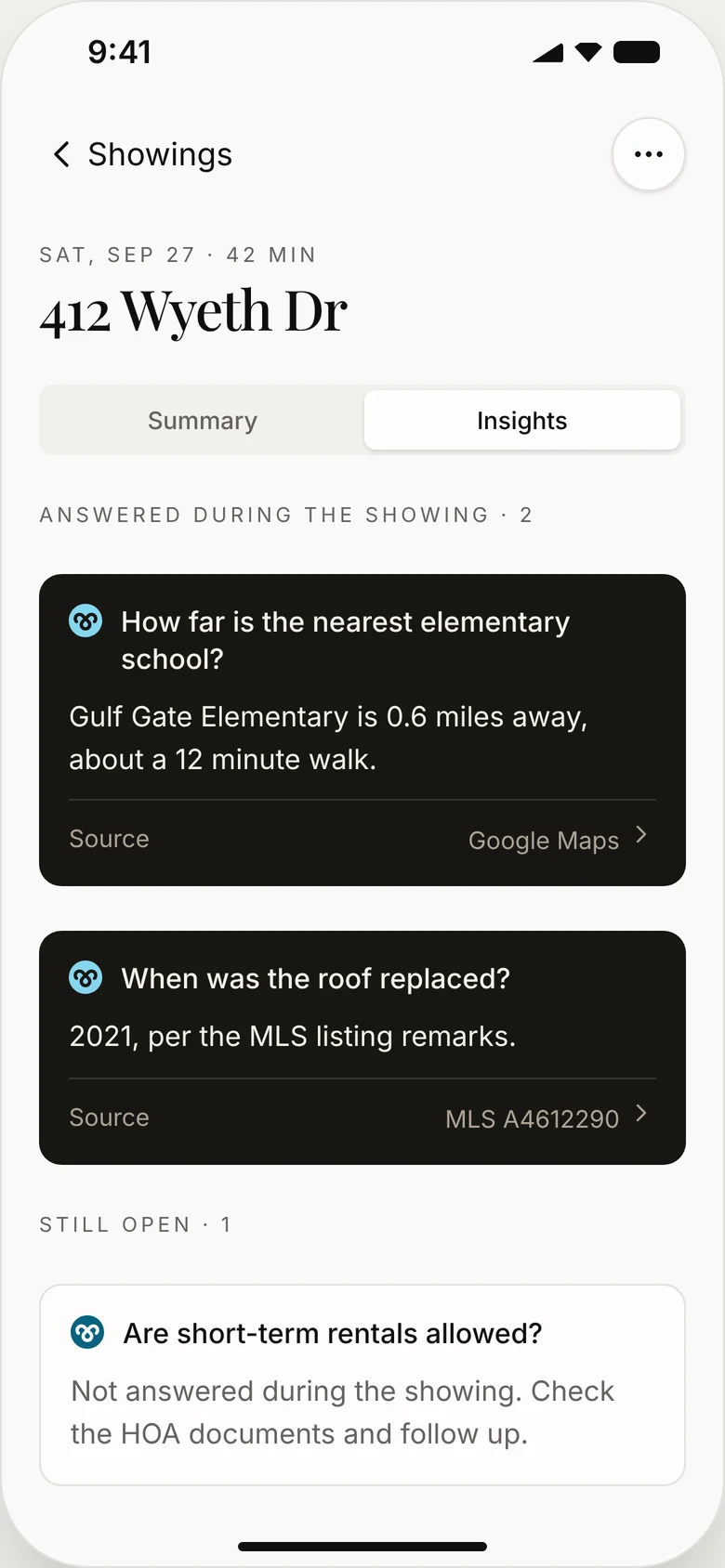
Buddi’s take in three lines, then the details: what she said in her own words, how she reacted room by room, what worries her, and every question she asked, with the answer and where it came from.
The full transcript is one tap away. Add a concern or a follow-up of your own any time.
Tell a strong buyer from the wrong house
Every showing gets a score from 1 to 100 for how ready the buyer is. Coming soon: a second score for how well this house fit them. A high first score and a low second one will mean she's ready to buy, just not this house.
How ready she is to buy. Weighs motivation, ability and timeline, not just enthusiasm.
- Motivation
- “Our lease ends in May.”
- Ability
- “We’re pre-approved.”
- Timeline
- “We’d like to be in by summer.”
How well this house matched her. Read from her reactions to layout, condition, location and price.
- Layout
- “I love the open kitchen.”
- Location
- “35 minutes is a long commute.”
- Price
- “The HOA is what worries me.”
“Find suitable properties for Maria.” Buddi searches the MLS from what she told you, and can text her the picks.
Only the buyer’s words count. What you say during the showing is context, never scored. Every visit’s score stays on her profile, so you see her warming up from one showing to the next, and the latest shows on your lead list.
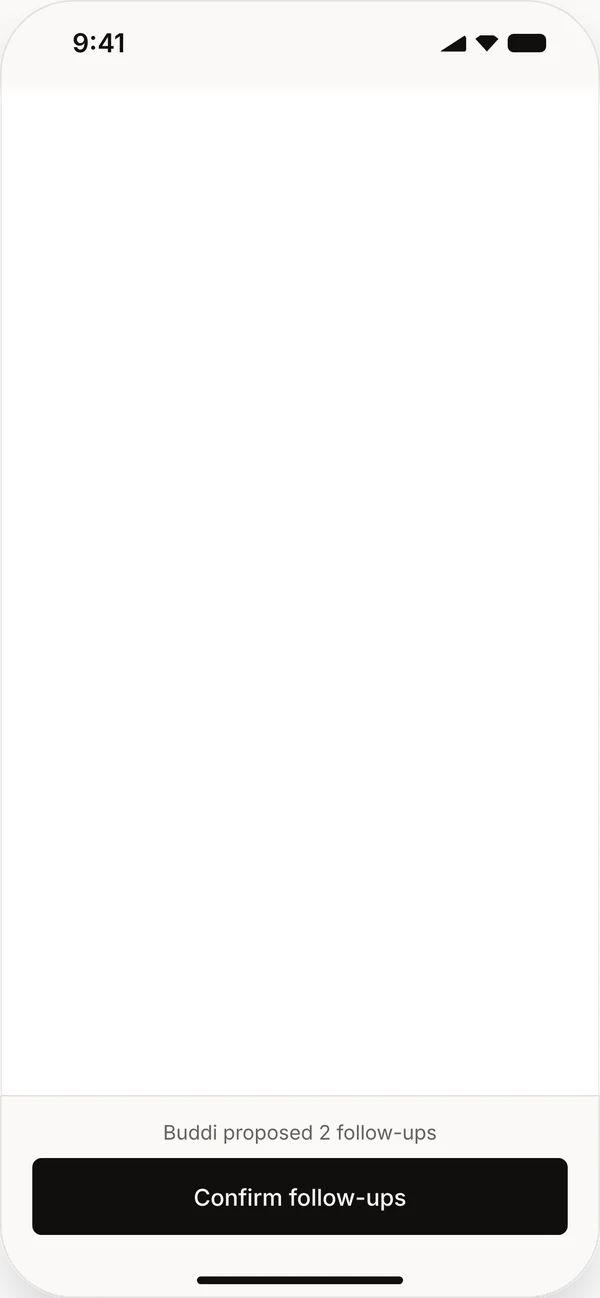
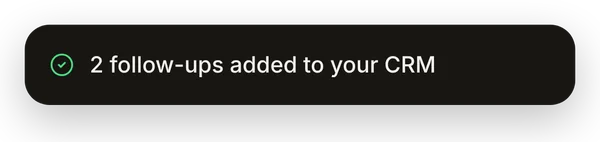
You decide what goes in your CRM. Buddi does the typing
Buddi proposes the next steps with due dates. Edit, delete or add your own, then tap Confirm follow-ups. They land in your CRM as tasks under your name, with a wrap-up note of the showing.
Busy day? Anything you haven’t reviewed syncs on its own after a day.
One showing updates the whole picture of your client
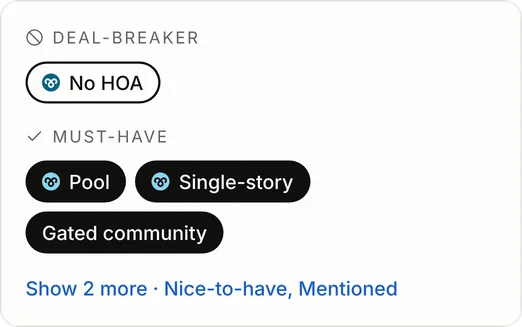
Her profile, updated
Budget, timeline, pre-approval and must-haves she mentioned are added to her profile. Only what she said, never guessed.
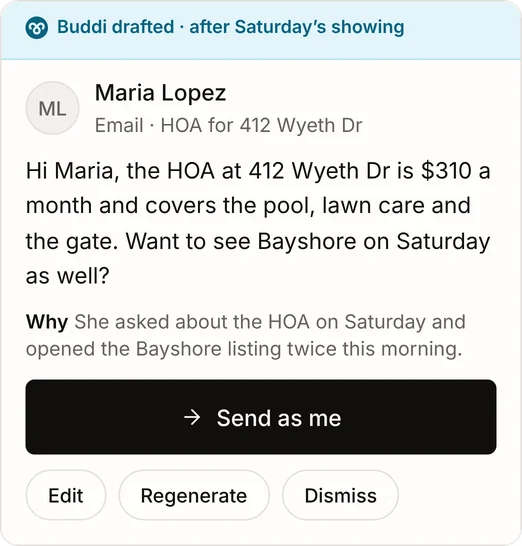
The follow-up, drafted
A follow-up email written from what happened at the showing, waiting in Done-For-You.
Open questions, carried over
Anything she asked that wasn’t answered during the showing stays on the summary as a follow-up, so nothing gets lost.
Built to be trusted in someone else’s home
- A recording notice, every time It plays out loud as Showing Mode starts and can’t be skipped.
- Door codes stay private Access codes said out loud are removed from the transcript.
- The buyer is scored, not you You confirm who’s speaking, or Buddi makes its best guess after a day.
- Only what was said Nothing about the person is inferred.
Before your next showing
Do I have to type anything?
No. Start Showing Mode, show the house, and the summary arrives on its own. You only confirm the follow-ups.
How long does the summary take?
Usually a few minutes, before you’re back in the car. It’s made even if you close the app.
What if I forget to confirm the follow-ups?
They sync to your CRM on their own after a day. Anything you edited or deleted stays that way.
Is my client told they’re being recorded?
Yes. A recording notice plays out loud at the start of every showing and can’t be skipped.
What if I lose signal in the house?
The recording keeps going and uploads when you’re back online. The summary follows.
What if the buyer didn’t come?
Buddi still writes up the visit, but gives no score: there was no buyer to score.
Does it work for a buyer consultation?
Yes. Start a consultation instead of a showing and the summary focuses on what they’re looking for.

See it on your own listings
Bring Buddi to your next showing.
One-month money-back guarantee