
Someone is with you at every showing
Safety Mode runs quietly through every showing. Say your safe word and Buddi checks on you. If you need help, a trained safety agent or 911 is one swipe away, with your address and location already sent.
Safety Mode is on. Buddi listens, and hears something that doesn’t sound right.
Safety Mode is on. Buddi listens, and hears something that doesn’t sound right.. “Everything okay?” Your PIN makes it go away. Nothing is sent until the countdown runs out.. Countdown over: a Safety Agent has the incident, and your emergency contact is told.. Need the call itself? Tap 911 and swipe. Only the swipe dials.. The phone calls 911. The showing address and your live location went ahead of the call.Quiet until you need it
- 1
Activates with Showing Mode
Once Safety Mode is set up, it turns on by itself when your showing starts. Agent Buddi listens for signs of distress, and one status card tells you you're protected.
- 2
Say your safe word once
A quiet PIN prompt appears on your phone, and you have 60 seconds to enter it. Nobody around you can tell.
- 3
Say it twice within 60 seconds
A 15-second countdown starts, with vibration. Nothing is sent until it ends, unless you ask for help sooner.
- 4
A safety agent is alerted
A trained safety agent from our monitoring partner steps in, and your screen shows what was sent and to whom.
Safety agent monitoring is rolling out now, starting with our pilot accounts.
Help at hand, when you need it
Contact Safety Agent
From the check card or the countdown, reach a trained safety agent right away.
Swipe to 911
Dials 911 and sends the showing address and your location to the dispatcher with the call.
A wrong PIN, twice
If someone forces you to cancel, two wrong PINs send help anyway.
Know more about who you’re meeting
Run a background safety check on a lead from their card. Buddi sums up what public records show, sorted into what clearly matches this person and what only might, with a clear note on what the check can and can’t tell you.
Know before you go: you read the results and you decide.
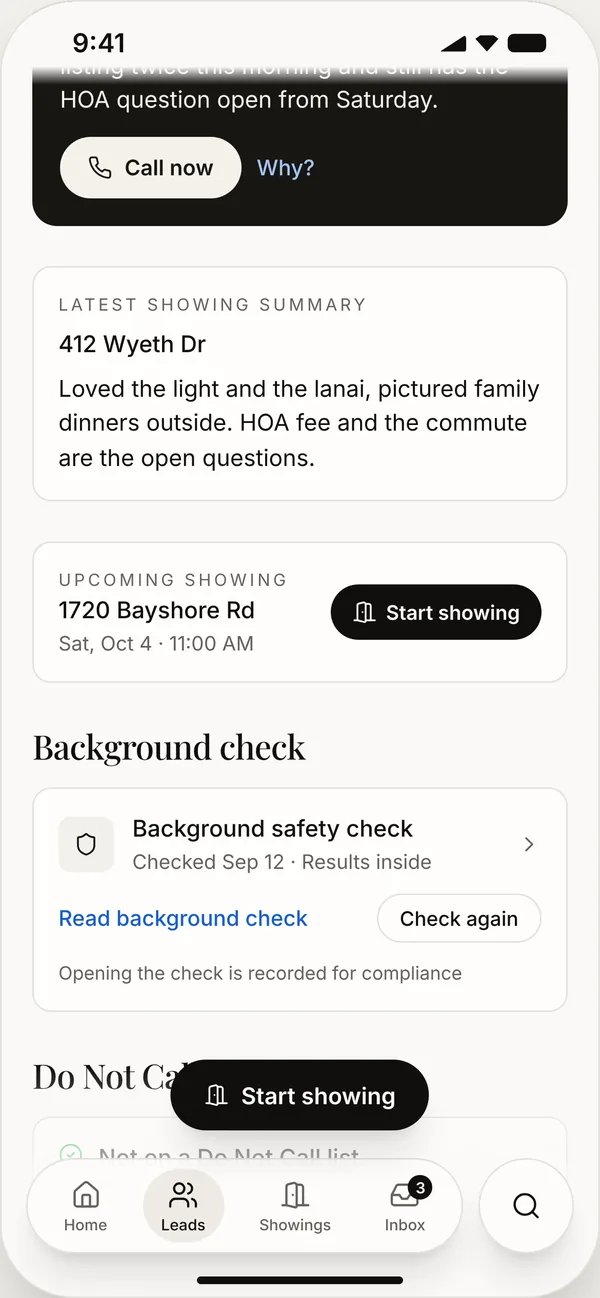
Sample name and sample records.
Set it up once. Rehearse it any time
- Sandbox mode Make a mistake? No problem. Run your next showing as a rehearsal: the safe word, the countdown and Swipe to 911 all work against a pretend safety agent, and nothing is really sent.
- Your emergency contact, told Your emergency contact is told when help is sent, and again if the alert is canceled. By text from your Agent Buddi number, or by email if you don't have one yet.
- Cancel a real alert Set off an alert by accident? Cancel it from Settings, no PIN needed. The monitoring center is still told, and may call to check you're safe.
- Set up on the web or the phone Your PIN, safe word and contacts follow you.
Before your next showing
What do I need to turn it on?
A Buddi number, your own mobile number, a 4-digit PIN, a safe word and an emergency contact.
Does a background check tell me a lead is safe?
No. It sums up what public records show and what they can’t. A record may belong to someone else, a charge is not a conviction, and finding nothing doesn’t mean there is nothing. Use it alongside your own judgment.

See it on your own listings
Bring Buddi to your next showing.
One-month money-back guarantee