The follow-ups your ISAs send every day, ready in two clicks
Pick what the moment is, fill in only what the template still needs, check the message and send it by text or email. In the agent’s name or your own, from the lead you’re already looking at.
Coming soon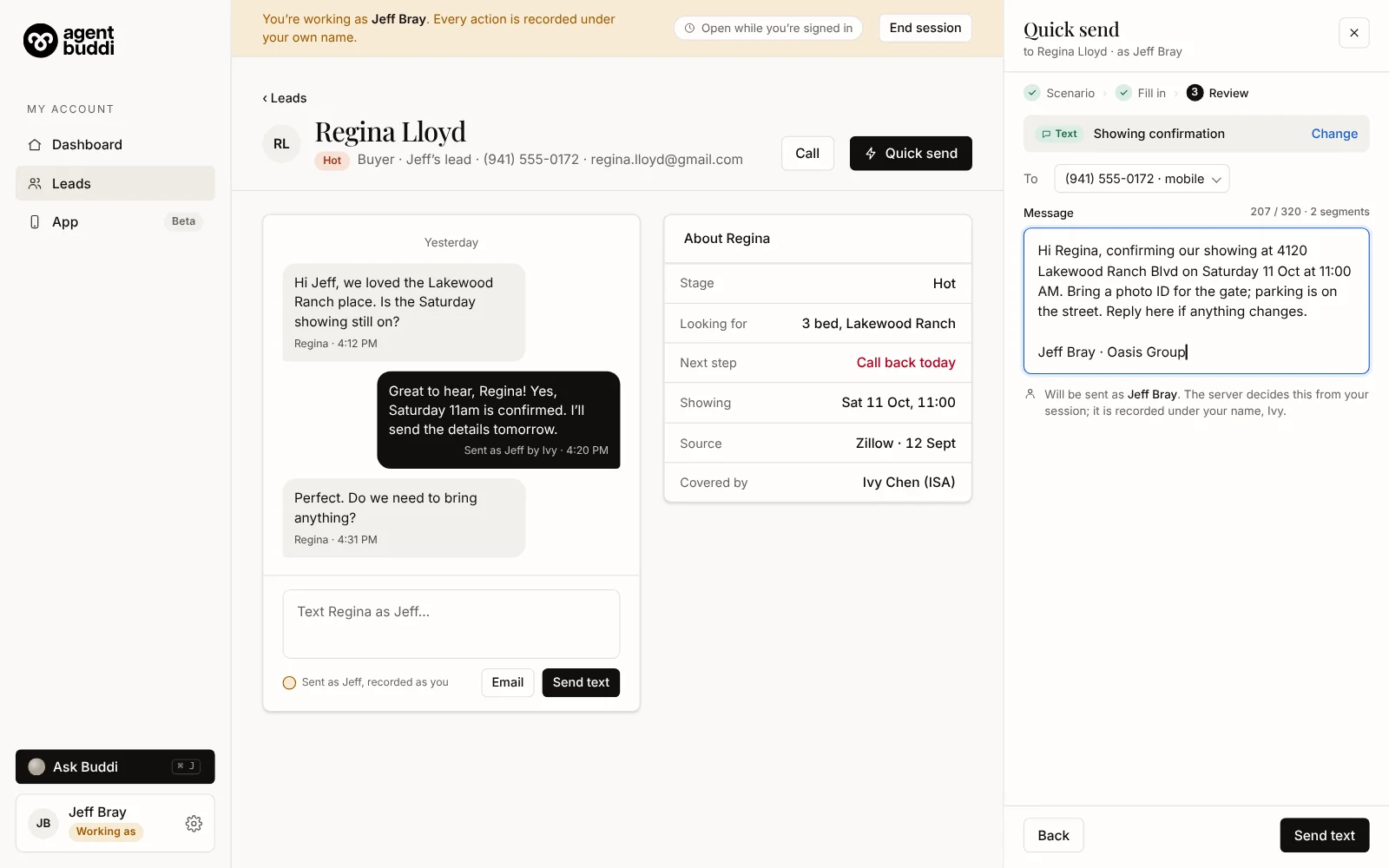
Sample data.
Three steps, from the lead you’re on
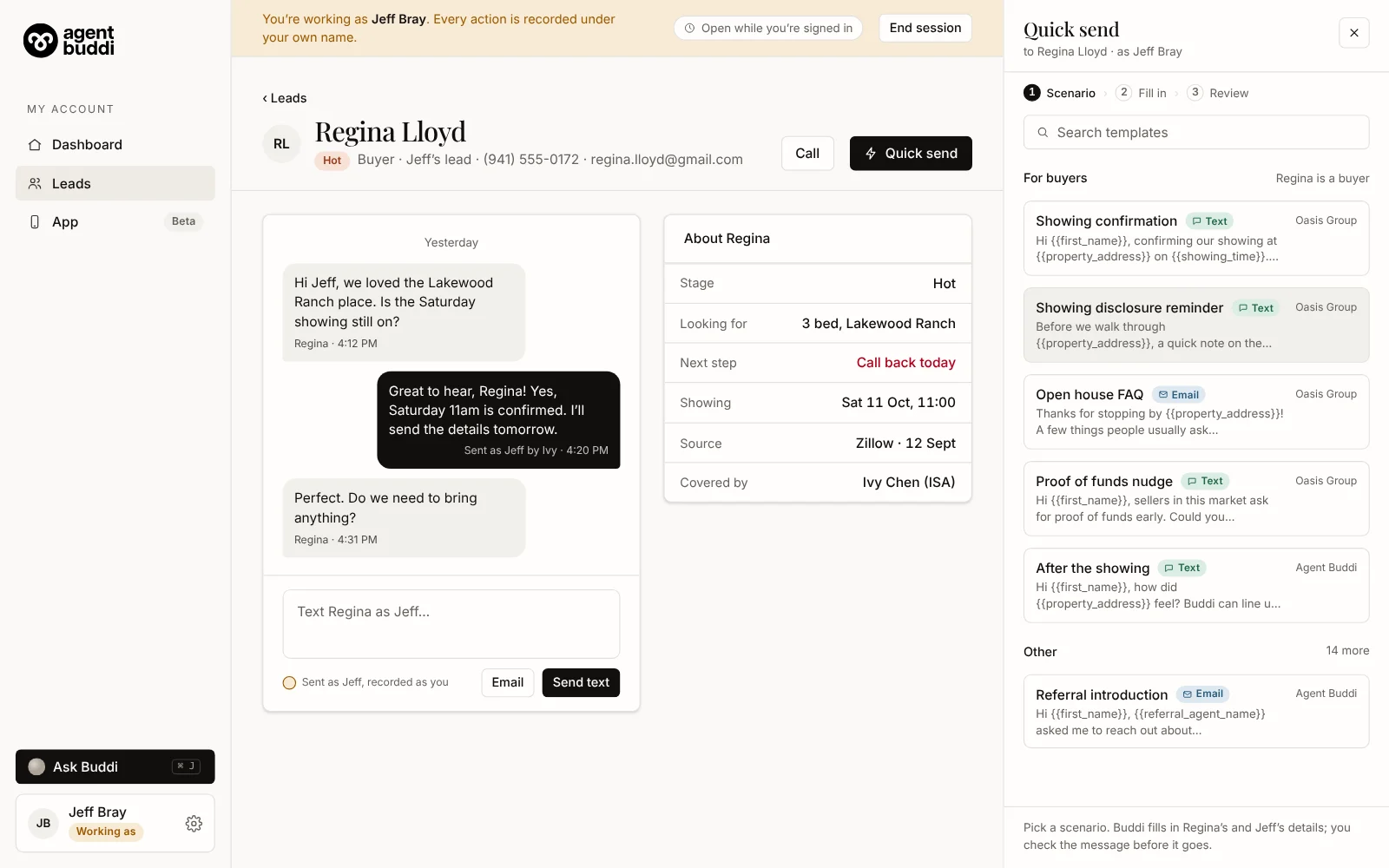
Pick the moment
Showing confirmation, disclosure reminder, proof of funds: the templates that fit this lead’s type come first.
Fill in only what’s missing
A showing time, a property, a typed name. Everything Buddi already knows is filled in for you.
Check it and send
Read the finished message, change a word if you want, and send it as a text or an email.
Sent as the agent, recorded as you
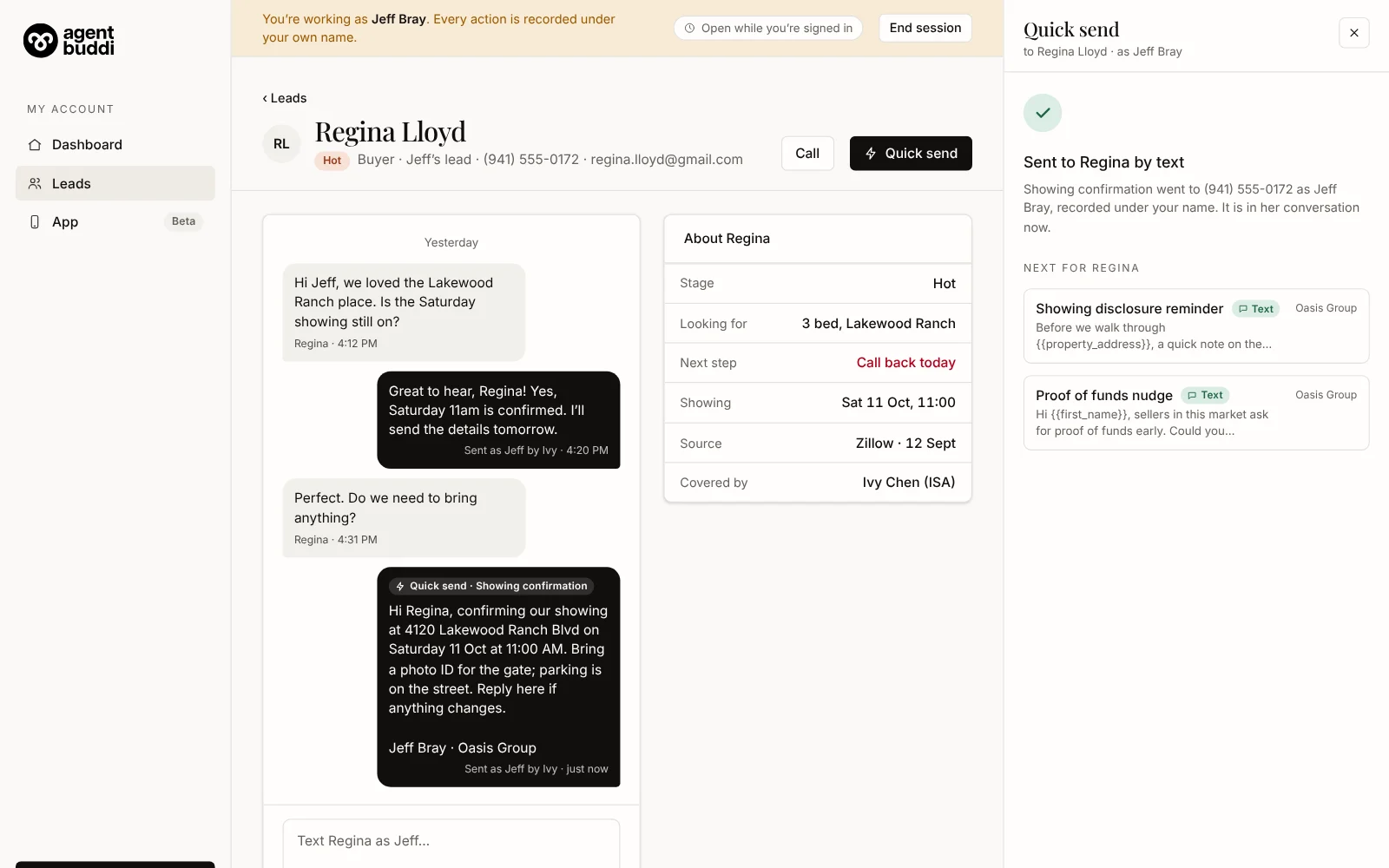
When an ISA works as an agent, the message goes out in the agent’s name and the record says who sent it. Buddi decides the sign-off from the session, so nobody has to pick.
A text lands in the lead’s conversation with a Quick send tag, so the agent sees exactly what was said.
The whole day on one page
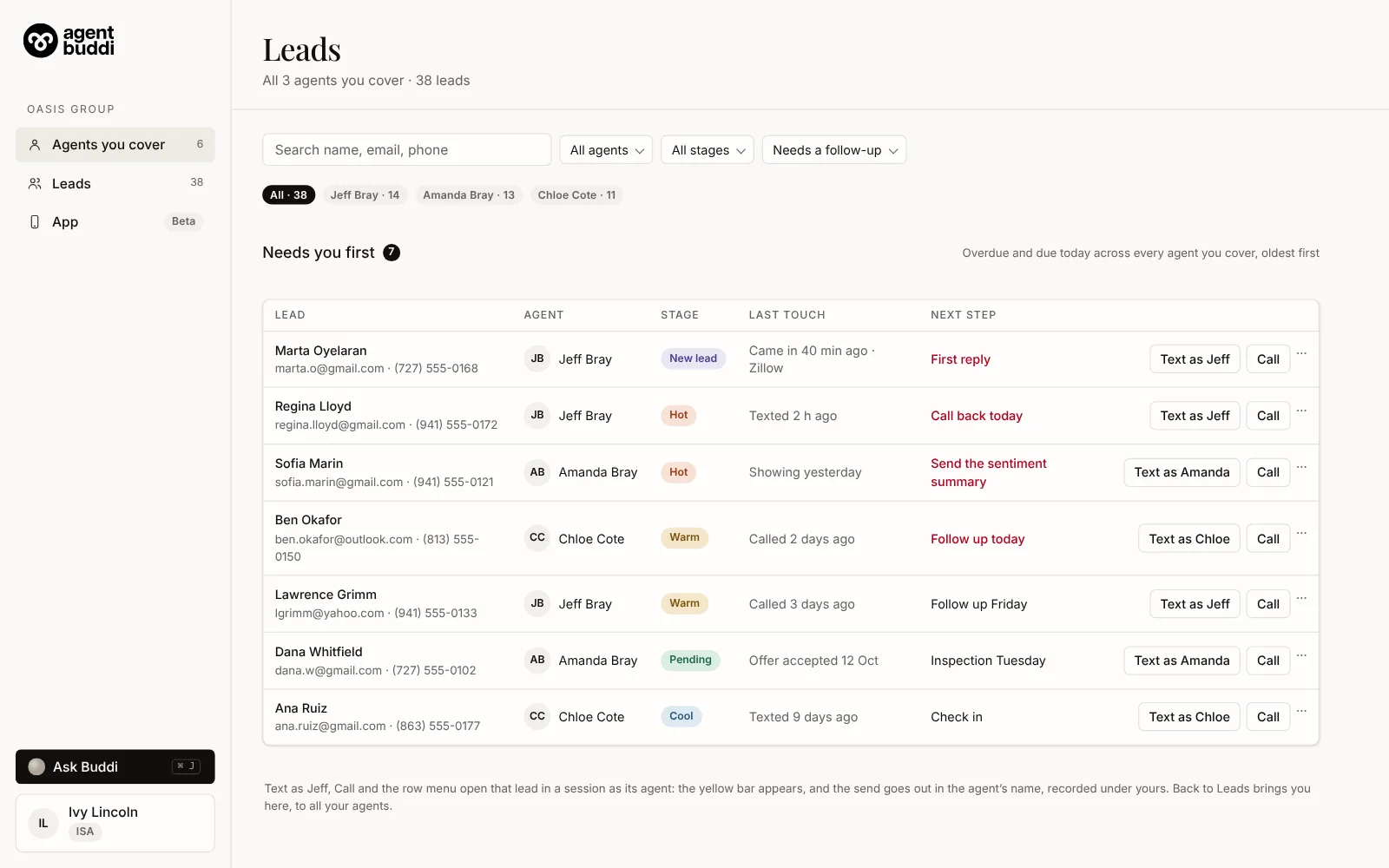
Your ISAs see the leads of every agent they cover in one list, with whose lead it is on every row. What’s overdue or due today comes first, across all of them.
Text as Jeff or Text as Amanda opens that lead as its agent, so the name on the send is always the right one.
Write it once. Every ISA sends it the same way
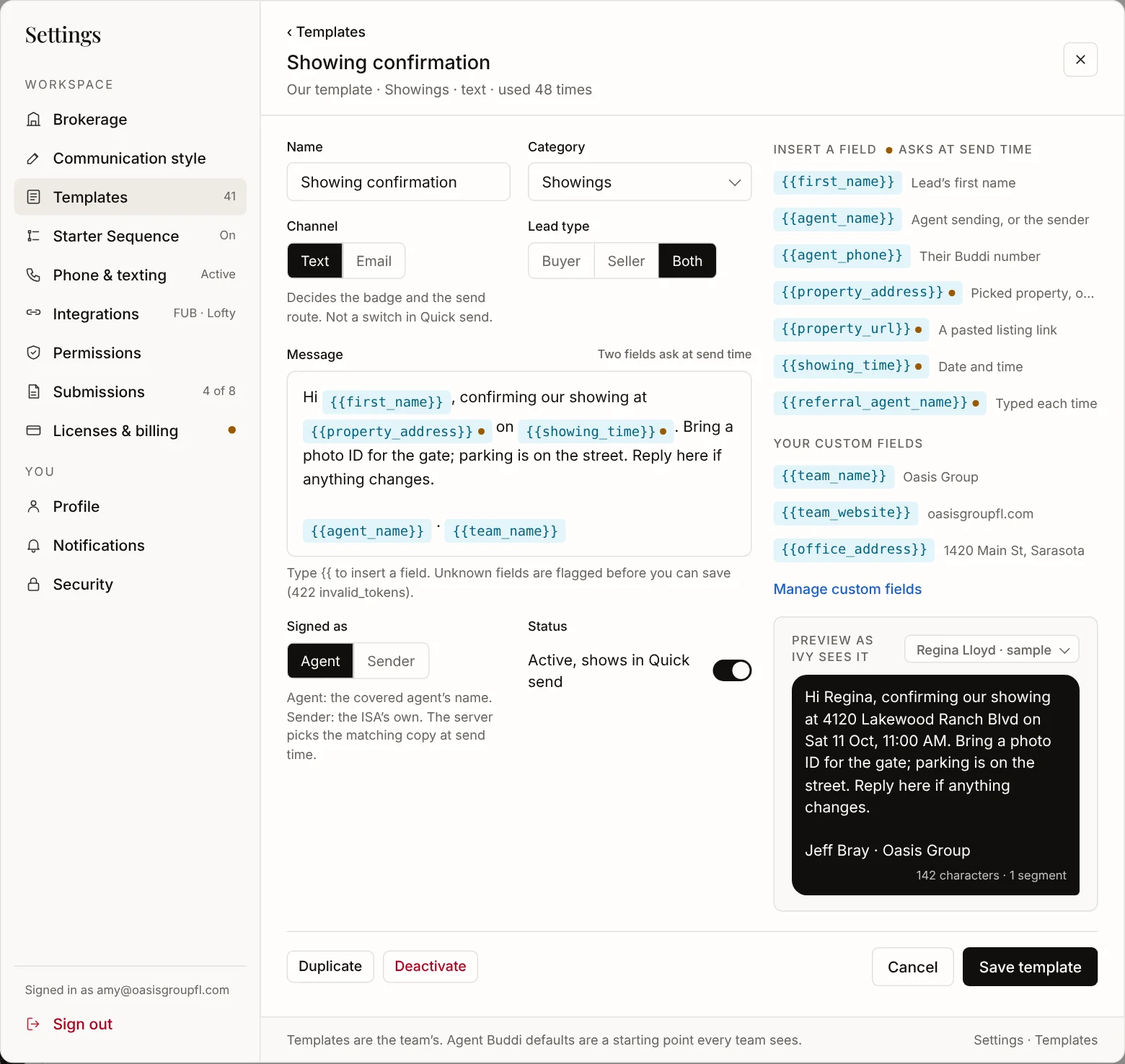
Team Leads and admins keep the team’s templates in Settings: merge fields for the lead, the agent and the showing, a live preview, and your own fields like the team website.
Start from the Agent Buddi defaults, or write your own. Retired templates are switched off, never deleted.
Fast, and still careful
- Opted-out leads are never texted The send stops and says why.
- No timer to beat Working as an agent lasts as long as you’re signed in.
- Every send is recorded Under the name of the person who sent it, and visible to the agent, the Team Lead and the other ISAs.
Before your ISAs start
Who can use Quick send?
ISAs and assistants, in their own name or, with permission, as the agent they cover.
Where does it live?
In the web dashboard, next to the lead’s conversation. Templates live in Settings → Templates.