
Every new lead gets your team’s plan. Nobody has to remember it
A fixed plan of texts, emails and tasks for every new lead and every booked showing, built from your Quick send templates. Agent Buddi switches it on for your team; your admins shape the plan.
Coming soon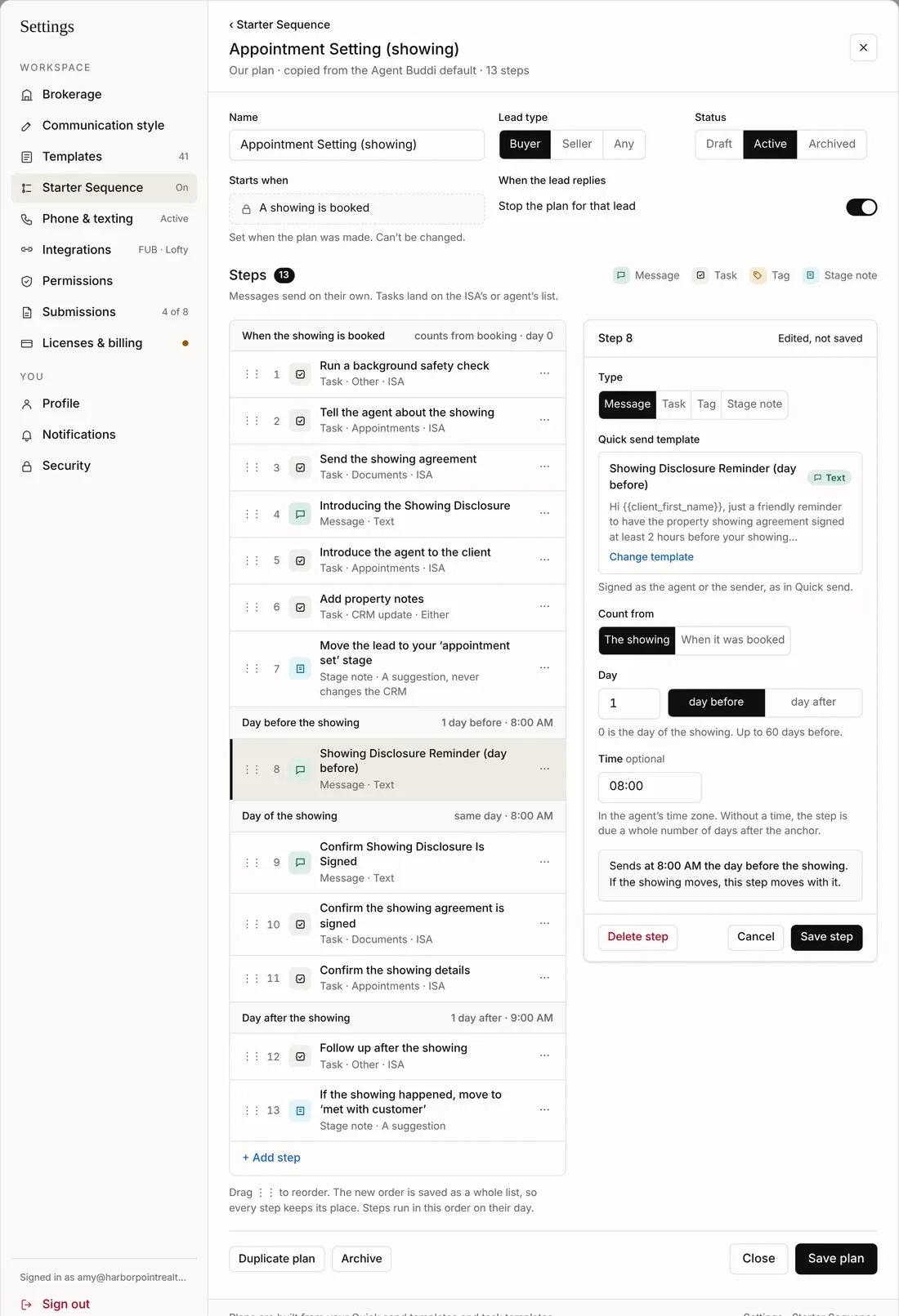
One for new leads, one around every showing
New lead plan
Starts when the lead arrives: the first texts and emails, the calls to make, and a note when it’s time to move them on.
Showing plan
Counts from the showing itself: the morning before, the day of, the day after. Booking a showing takes over from the new-lead plan, and canceling it stops the plan.
Four kinds of step
A message from your templates, a task for the ISA or the agent, a tag, or a stage note that suggests the next stage.
Start from ours. Make it yours
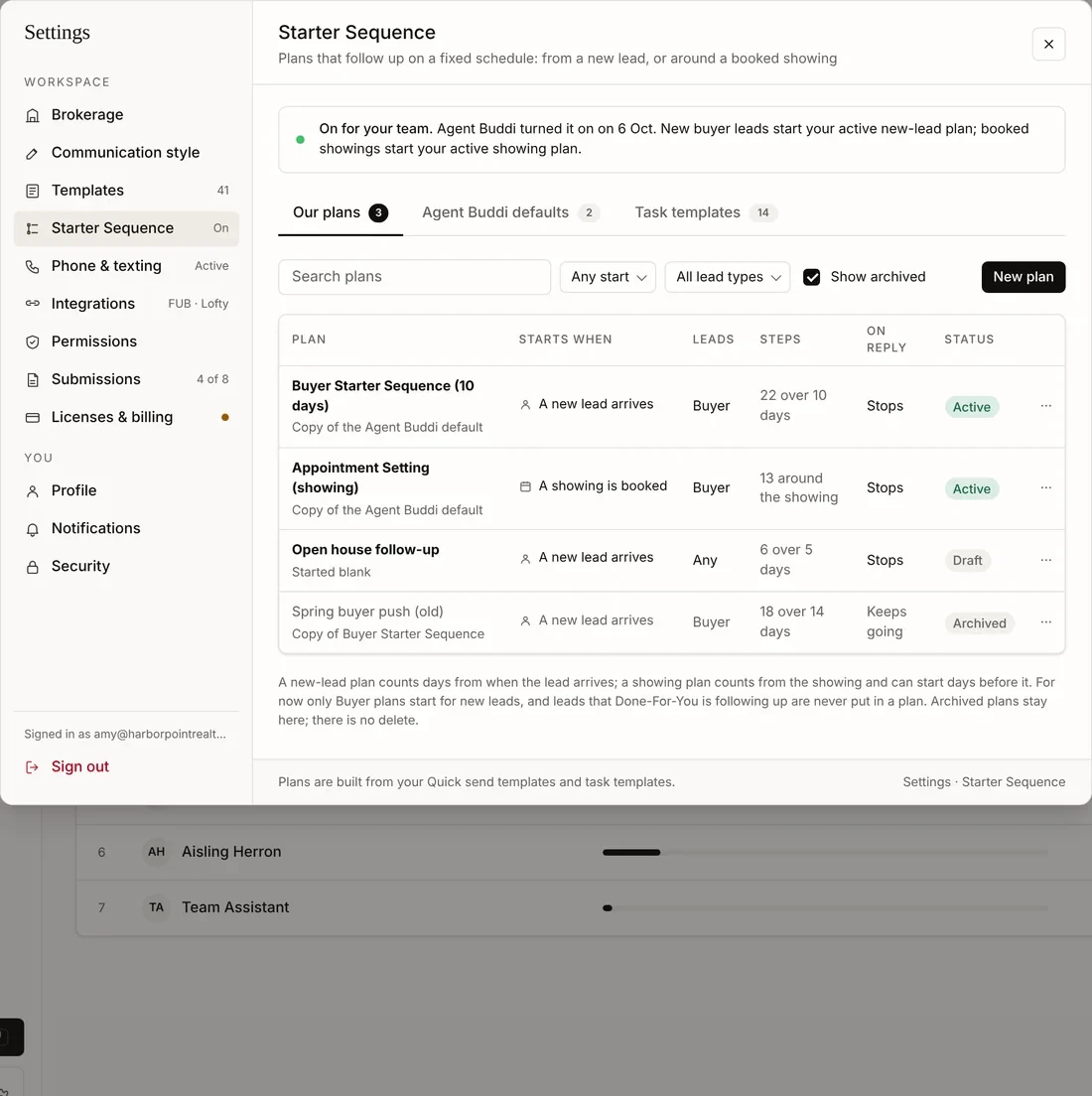
Every team gets the Agent Buddi plans as a starting point. Copy one, change the steps, and switch it on. Drafts and old plans stay in the list; nothing is deleted.
The calls and paperwork land on the right list
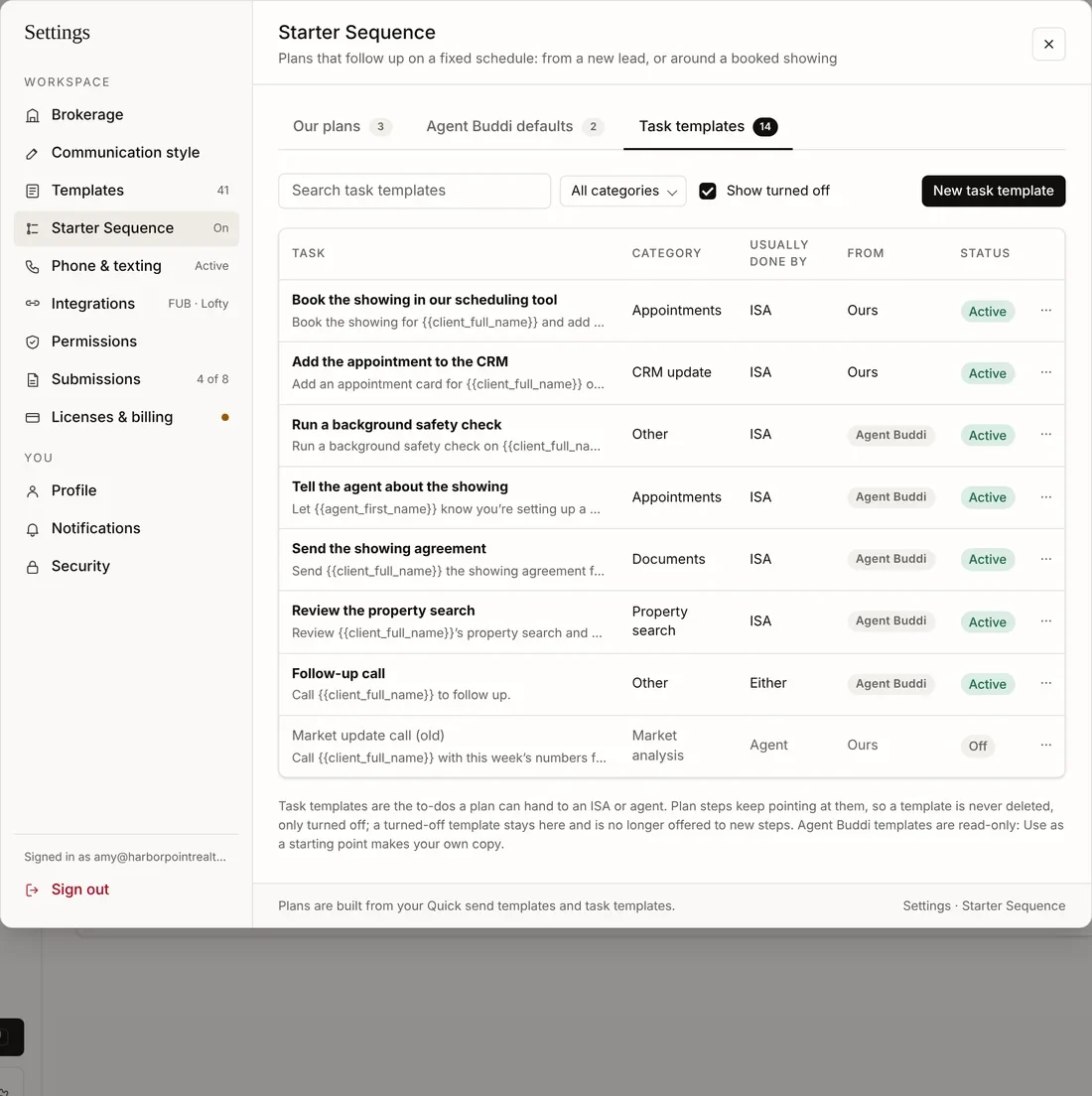
A task step goes to the ISA who covers the lead, or to the agent. Write tasks once as templates: send the showing agreement, confirm the details, follow up after the showing.
See exactly where each lead is in the plan
The lead’s Sequences tab shows the plan it’s in, the showing it’s for, what has gone out, what’s next, and why a step waited or was skipped. Stop it for one lead, or add a lead to a plan by hand.
Team admins also get an In a sequence view on Leads: every lead in a plan, filtered by status, kind of plan and plan.
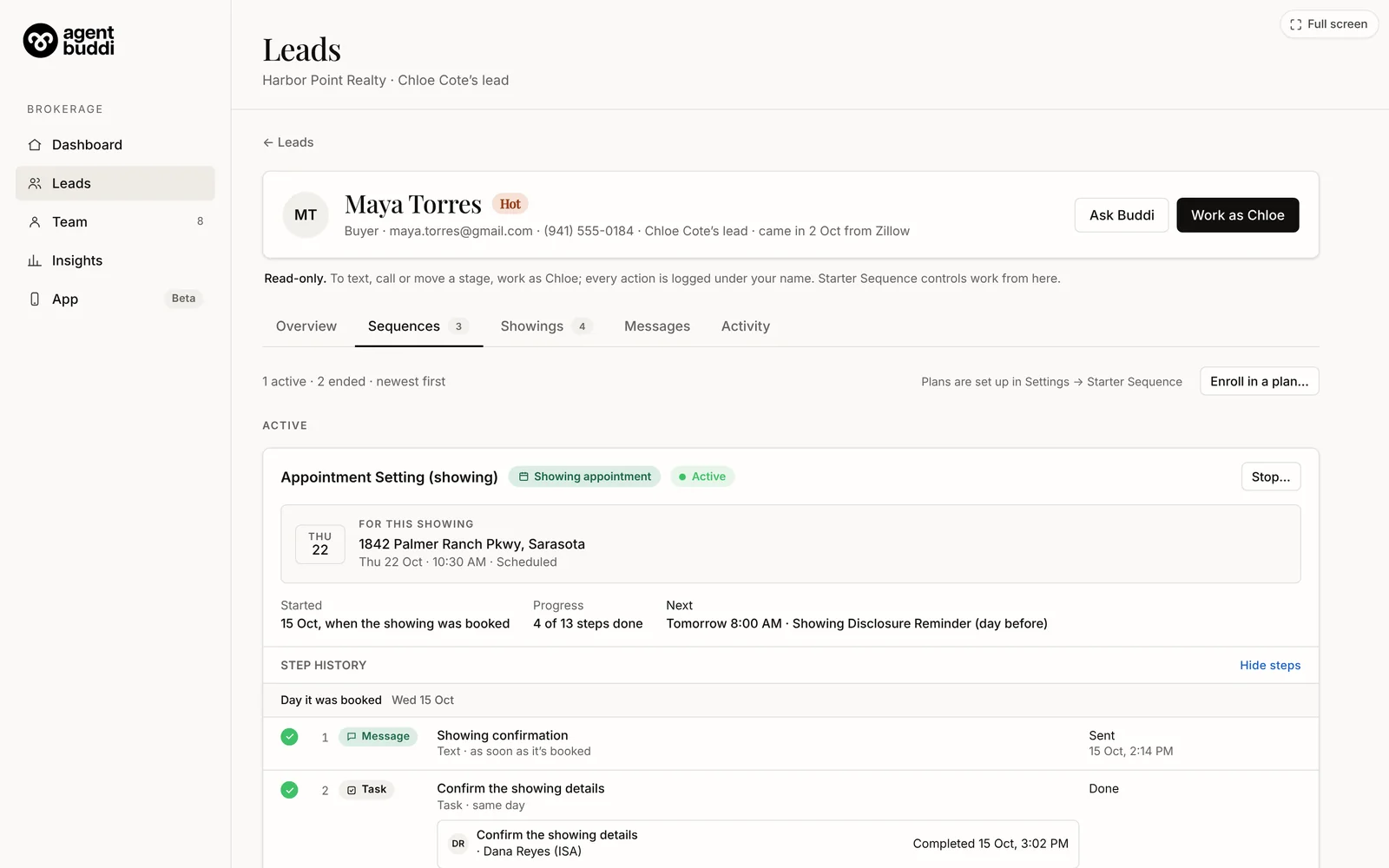
Sample data.
A fixed plan, or follow-up in your own words
The same plan for every lead
- Your team’s templates, on a set schedule
- Tasks for the ISA or the agent
- Can stop when the lead replies
Written for each lead, in your voice
- Buddi writes every message from the conversation
- Review or Auto
- Hands over when they want a call, a home or a showing
The two never work the same lead. A lead that DFY Follow-Up is handling is never put in a plan. See DFY Follow-Up →
A plan, not a robot
- Steps aside when they reply Choose per plan whether a reply stops it, so a real conversation can take over.
- Once a day, even with two showings A general message like “See you today” goes out once, not once per showing.
- Quiet hours and opt-outs respected A step due in quiet hours waits; a lead who opted out is never texted.
- Stage notes are suggestions They never change a stage in your CRM.
- Your templates, your words Messages come from the same library your ISAs use in Quick send.
- Switched on per team Agent Buddi turns it on for your team, or for your whole partner group.
Before you switch it on
Can I take one lead out of a plan?
Yes. Stop it on the lead’s Sequences tab. Stopping can’t be undone, but you can put the lead in a plan again.
Can I add a lead by hand?
Yes, from the lead’s page: a new-lead plan, or a showing plan for one of the lead’s upcoming showings.
Can we change the Agent Buddi plan?
Copy it and change the copy. The original stays as a starting point for every team.
Do we need DFY Follow-Up too?
No. Starter Sequence is for teams that want a fixed plan; the two never work the same lead.